
Custom Software Development

Software built around your operations.

When orders live in inboxes and spreadsheets, a simple correction can leave billing and operations with different totals. We build the shared workflow around the people who enter, approve and reconcile each change.

A desktop computer and phone showing two views of an operations dashboard

Example workflow

What happens when a customer changes an order?

Order amendment
Amendment requested
Item
Packaging sleeves
Original quantity
120 units
Requested quantity
90 units
Capture

Keep the request with the order.

An operator records the revised quantity against the original order. The original value stays visible so the next person can see what changed.

Order amendment
Amendment requested
Item
Packaging sleeves
Original quantity
120 units
Requested quantity
90 units
Approve

Send the exception to its owner.

A supervisor reviews the customer’s request and its effect on the invoice. Other staff can follow the decision without being able to approve it.

Order amendment
Approved
Decision owner
Operations supervisor
Requested change
Remove 30 units
Audit entry
Reason recorded
Reconcile

Close the loop with billing.

Send the approved change to the billing system. An unavailable integration leaves a visible retry in the queue and the order keeps its amendment history.

Order amendment
Billing reconciled
Invoice quantity
90 units
Order quantity
90 units
Exception queue
Resolved

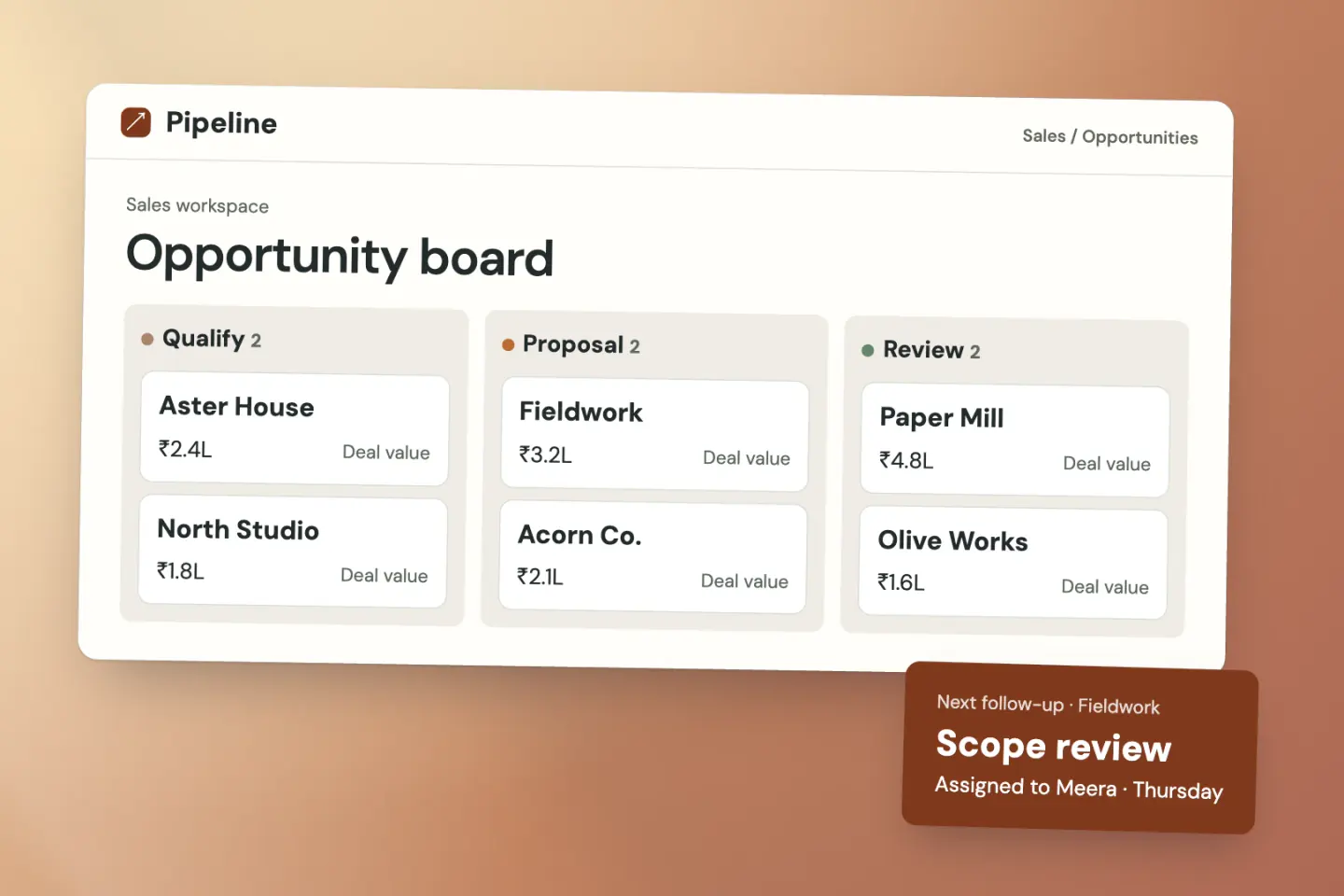
Enterprise CRM

A sales workspace that brings accounts, conversations and the next follow-up into view.

Explore the project
Sales opportunities grouped by stage with the owner and next action for the Fieldwork proposal

Planning the engagement

Discuss your project
What should we bring?

Bring a screen recording of the current process, a list of systems it touches and an example of an exception your team handles manually.

How do we agree scope?

Agree who owns the data, which systems must remain live during rollout, and how the team will monitor and recover the release.

Industries we work with

Technologies we use

Backend01 / 09

Backend

We build the APIs behind bookings, payments and account updates. Real-time connections keep a customer and a support agent looking at the same conversation.

  • Node.js
  • Express
  • Python
  • FastAPI
  • Socket.IO
  • Mongoose

From discovery to handover

  1. Discover

    Map the business problem, the people it affects and the constraints. Agree on what a good outcome looks like.

    A prioritised brief, dependencies and an agreed first release.
  2. Design

    Turn key journeys into a working prototype. Test the important decisions before writing production code.

    A prototype, decision log and handoff notes for the core states.
  3. Develop

    Build in small releases. Review working features together and check accessibility, reliability and performance.

    Working increments, test evidence and a release candidate.
  4. Launch & grow

    Plan the rollout, monitor the product and use real feedback to decide what to improve next.

    A rollout checklist, named owners and a review of the first signals.

Project questions

Can the new tool work with our current billing system?

Start with a sample order, a correction and the billing interface you already use. These establish which system owns each field and how to recover from a failed update.

Can we start with just one service?

Yes. Bring a defined task, like redesigning a checkout or connecting two systems, or ask us to help scope a larger programme.

What should I include in my enquiry?

Tell us who the product serves, what needs to change, what you already have and when you want to launch. A rough budget helps us suggest an appropriate scope.

Download project worksheets

Contact Trvios

Bring us your project.

Tell us who it serves, what needs to change and which decision you want help making.

Contact details
  1. 1The brief
  2. 2Your details
  3. 3Review

What would you like to build?

Timing and budget Optional

Ask Trvios

Trvios Digital studio guide

What are you working on?

Start with a quick question or write directly to the team.