
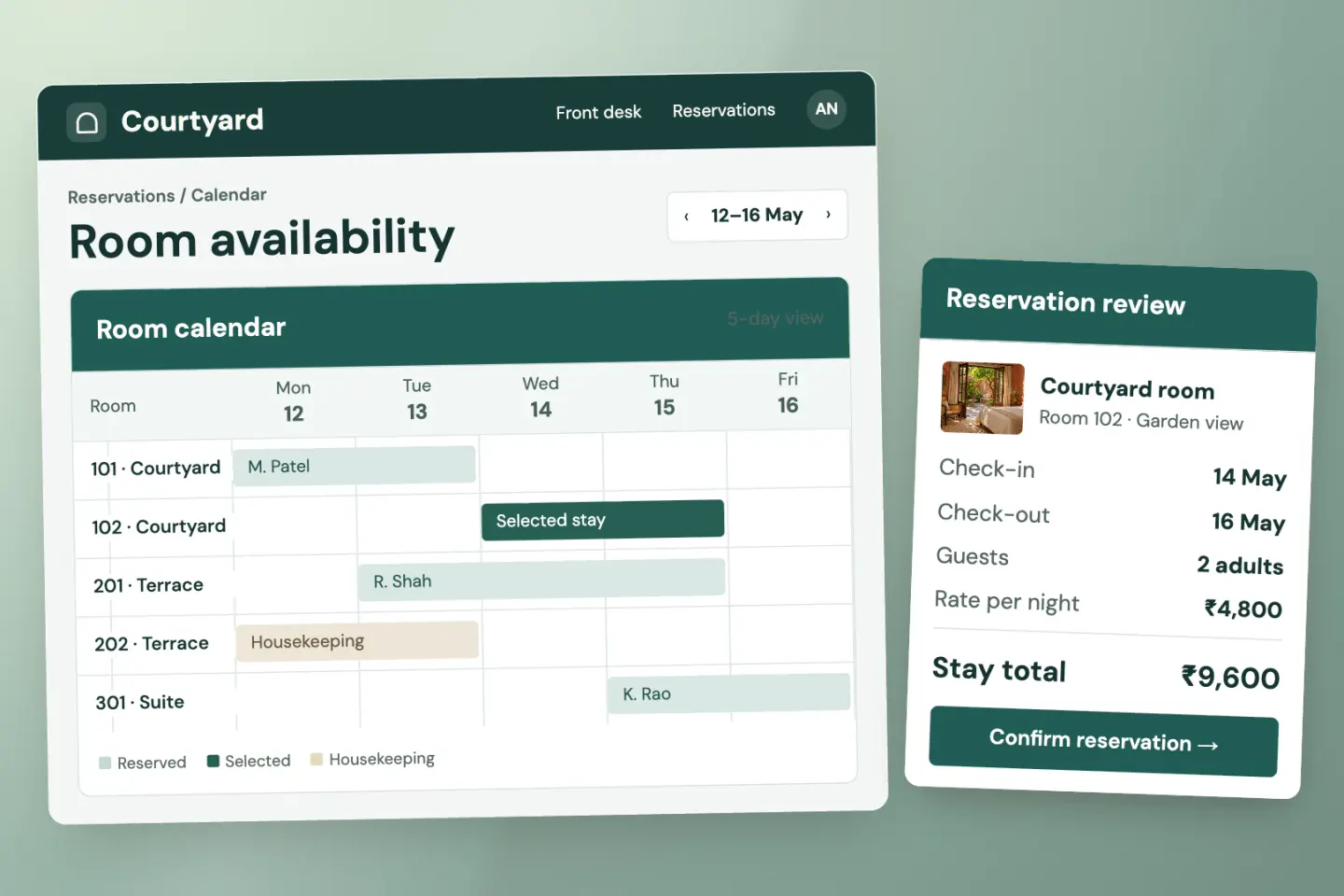
What lets a guest and a front desk agree on the same reservation?
Room names, nightly rates and cancellation terms can vary across stays, making a fair comparison difficult.
The proposed experience gives each room the same comparison structure and keeps dates, guests and the complete price visible before confirmation.
- Designed for
- Accommodation operators and guests
- Relevant service
- Product Design
Design decisions
Stay discovery
Start with dates and guest count. Those choices determine which rooms can be offered, and the calendar gives staff a way to check the selected stay.
Room and rate comparison
Compare rooms using the same details. Occupancy, view, nightly rate and cancellation terms all affect whether the cheaper option is a good fit.
Reservation summary
Review the whole stay before confirming. In the example, Room 102 from 14 to 16 May is two nights at ₹4,800, giving the guest and the desk the same ₹9,600 total.
Compare room options
Compare two rooms for the same dates. One has a lower nightly rate and the other allows cancellation. Check whether a guest can explain the full cost and the consequence of changing plans before choosing a room.
Room type · 14–16 May
Garden view at ₹4,800 per night. The selected stay uses Room 102 from check-in on 14 May to check-out on 16 May.
Planning a booking platform?
Bring one property’s room types, rate rules and a typical reservation. We can map how guests book and how your front desk handles changes to the same stay.